Moka POS vs ZeusPOS
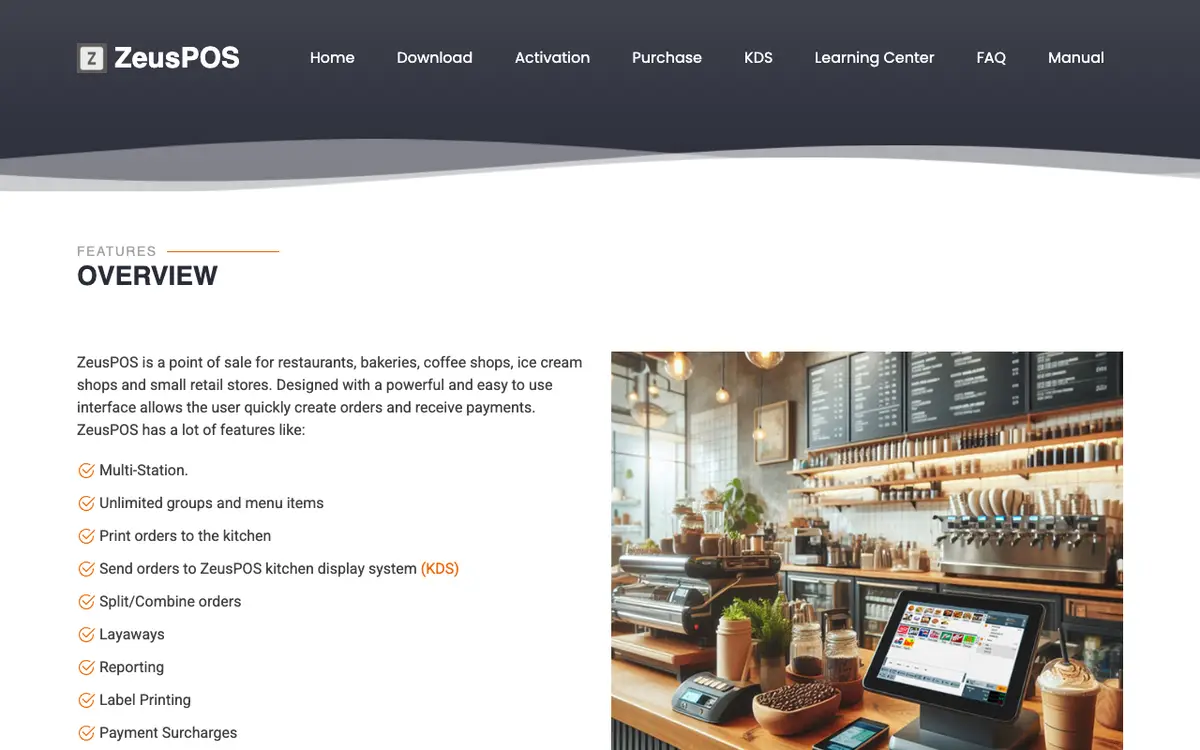
Moka POS is a cloud point of sale for Indonesian cafes, restaurants, fast-food outlets, retail shops and salons, run on iPad or Android tablets with a back office in a browser. ZeusPOS is Windows point-of-sale software for restaurants, bakeries, coffee shops, ice cream shops and small retail stores. Both are listed under Café & Bakery POS. They differ in price, audience and platforms.
Key differences
price
Starting prices: Moka POS at IDR 299,000 per outlet per month; ZeusPOS at USD 165 one-time per station. The currency or billing basis differs, so they are not directly comparable.
audience
The audiences they list differ. Listed for one product only, for example: Moka POS: Cafes, restaurants and fast-food outlets in Indonesia; ZeusPOS: Small restaurants, cafes, bakeries and ice cream shops on Windows.
platforms
Listed platforms: Moka POS: Web, iOS, Android; ZeusPOS: Windows.
countries covered
On geography, Moka POS names 1 country and ZeusPOS names 1 country. No country appears in every list.
integrations
The integration lists differ. Moka POS names 10 integrations and ZeusPOS names 4 integrations. No partner appears in every list.
Side by side
| Field | Moka POS | ZeusPOS |
|---|---|---|
| What it is | Moka POS is a cloud point of sale for Indonesian cafes, restaurants, fast-food outlets, retail shops and salons, run on iPad or Android tablets with a back office in a browser. | ZeusPOS is Windows point-of-sale software for restaurants, bakeries, coffee shops, ice cream shops and small retail stores. |
| Best for | Cafes, restaurants and fast-food outlets in Indonesia; Multi-outlet operators | Small restaurants, cafes, bakeries and ice cream shops on Windows; Small retail stores that scan barcodes |
| Pricing model | Subscription per location | One-off licence |
| Starting price | IDR 299,000 per outlet per month | USD 165 one-time per station |
| Free plan | Not published | Not published |
| Free trial | Yes | Yes |
| Contract | Not published | Not published |
| Platforms | Web, iOS, Android | Windows |
| Countries | Indonesia | United States |
| Languages | English, Indonesian | Not published |
| Number of integrations | 10 | 4 |
| Certifications | Not published | PCI compliant |
| Security practices | Not published | Not published |
| Founded | Not published | Not published |
| Headquarters | Indonesia | Not published |
| Owner | Gojek (joined the Gojek ecosystem in April 2020; the Google Play listing shows PT GoTo Gojek Tokopedia Tbk as publisher) | Not published |
| Last reviewed | 29 September 2026 | 29 September 2026 |
Integrations
No partner appears in every list.
Named only by Moka POS
- Akulaku
- Alipay
- GoFood
- GoPay
- GoStore
- Kredivo
- LinkAja
- OVO
- QRIS
Named only by ZeusPOS
- Dejavoo
- Global Payments
- TSYS
- Worldpay
Which to choose
Moka POS
Choose Moka POS if you fit its listed audience: Cafes, restaurants and fast-food outlets in Indonesia; Multi-outlet operators.
ZeusPOS
Choose ZeusPOS if your business matches one of the audiences it is listed for: Small restaurants, cafes, bakeries and ice cream shops on Windows; Small retail stores that scan barcodes.
Our profile lists a weaker fit: Businesses that need iOS, Android or Linux terminals, or advanced inventory. The vendor says Android, iOS, Linux and Windows S mode are not supported for the POS, and its inventory tracking is basic with no reorder points or receiving.
What we could not confirm
Moka POS
- Founding year, headquarters city, funding and team size (not stated on the vendor's site)
- Whether the cheapest yearly price is Rp249,000 (FAQ) or Rp299,000 (pricing page)
- Which delivery platforms other than GoFood are supported
- Security certifications
- App store listing details
- Contract terms beyond monthly or yearly billing
ZeusPOS
- Company name, founding year, location, team size and funding (the site names none)
- Customer names and counts
- KDS licence price
- Accounting, delivery and online ordering integrations
- Interface languages
- Which US states or other countries it is sold in
Sources
Facts on this page come from the pages below. Prices and features change, so confirm with each vendor before you buy.
Moka POS, reviewed 29 September 2026
- Homepage: positioning, GoFood, customers, statshttps://www.mokapos.com/
- Plans and prices (browser-rendered)https://www.mokapos.com/harga
- Restaurant page: offline sync, split billshttps://www.mokapos.com/solusi-bisnis/restoran
- POS featureshttps://www.mokapos.com/jualan-offline/point-of-sale
- Digital paymentshttps://www.mokapos.com/jualan-offline/payment
- QR orderinghttps://www.mokapos.com/jualan-offline/moka-order
- Inventoryhttps://www.mokapos.com/jualan-offline/manajemen-stok
- Table managementhttps://www.mokapos.com/jualan-offline/manajemen-meja
- Employee managementhttps://www.mokapos.com/jualan-offline/manajemen-karyawan
- Online order managementhttps://www.mokapos.com/jualan-online/online-order-management
- Hardwarehttps://www.mokapos.com/hardware
- Company story, coverage, Gojekhttps://www.mokapos.com/tambahan/informasi-perusahaan
- FAQ: trial, e-wallets, deviceshttps://www.mokapos.com/tambahan/faq
- iOS app listing linkhttps://apps.apple.com/id/app/moka-pos/id955811575
- Google Play app listing linkhttps://play.google.com/store/apps/details?id=com.mokapos.android
ZeusPOS, reviewed 29 September 2026
- Homepage: features, payments, pricinghttps://www.zeuspos.com/
- Licence price, refunds, support pricehttps://www.zeuspos.com/purchase.php
- Windows versions, trial, version historyhttps://www.zeuspos.com/download.php
- Requirements, printers, inventory, processinghttps://www.zeuspos.com/faq.php
- Kitchen display systemhttps://www.zeuspos.com/kds.php
- Learning centerhttps://www.zeuspos.com/learning.php
- User manual overviewhttps://www.zeuspos.com/manualv6/index.html