Clover vs RPOWER POS
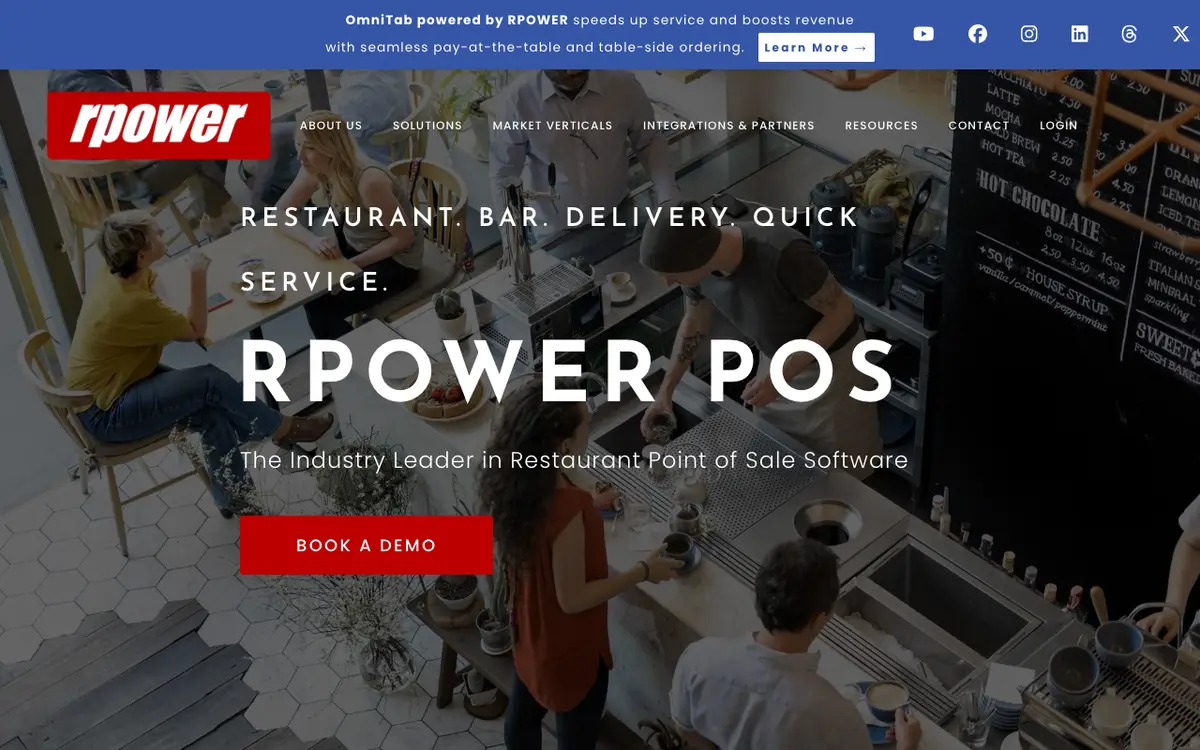
Clover is a point-of-sale and payments system sold as hardware plus a software plan, with restaurant versions for quick-service, full-service and multi-location operators. RPOWER POS is restaurant point of sale software that runs on a hybrid cloud and local system, with table-service, quick-service, bar and delivery features. Both are listed under Restaurant POS. Where the profiles show a difference, it is in audience, countries covered and integrations.
Key differences
audience
Not every audience is shared. Entries that only one product lists: Clover: Quick-service, cafe and food-truck operators; RPOWER POS: Quick-service and pick-up and delivery.
countries covered
Clover names 5 countries and RPOWER POS names 1 country. 1 country appears in every list.
integrations
On integrations, Clover names 6 integrations and RPOWER POS names 20 integrations. 2 partners appear in every list.
Side by side
| Field | Clover | RPOWER POS |
|---|---|---|
| What it is | Clover is a point-of-sale and payments system sold as hardware plus a software plan, with restaurant versions for quick-service, full-service and multi-location operators. | RPOWER POS is restaurant point of sale software that runs on a hybrid cloud and local system, with table-service, quick-service, bar and delivery features. |
| Best for | Full-service restaurants and bars; Quick-service, cafe and food-truck operators; Small operators who want packaged hardware; Growing multi-location restaurant brands | Full-service restaurants and bars; Quick-service and pick-up and delivery; Multi-store operators |
| Pricing model | Subscription plus percentage of card sales | Quote only |
| Starting price | Not published | Not published |
| Free plan | Not published | Not published |
| Free trial | Not published | Not published |
| Contract | A 3-year contract applies to the hardware promotion offer (per its terms); other contract terms are not stated on the vendor's site. | Not published |
| Platforms | Web | Not published |
| Countries | Australia, Canada, Singapore, United Kingdom, United States | United States |
| Languages | English, French (Canada) | Not published |
| Number of integrations | 6 | 20 |
| Certifications | Not published | PCI compliant |
| Security practices | Clover Security Plus: end-to-end encryption, tokenisation and PCI compliance tools (optional) | Not published |
| Founded | Not published | 1992 |
| Headquarters | Not published | Not published |
| Owner | Not published | Not published |
| Last reviewed | 29 September 2026 | 29 September 2026 |
Integrations
Named by both
- ADP
- QuickBooks
Named only by Clover
- Menufy
- Shopify
- Xero
- Yelp
Named only by RPOWER POS
- ChefTec
- Datacap
- DoorDash
- GiveX
- Grubhub
- HotSchedules
- MarginEdge
- Micros Fidelio
- Olo
- Paychex
- Paycom
- Paylocity
and 6 moreshow fewer
- Paytronix
- Restaurant365
- Sage Intacct
- TSYS
- Uber Eats
- Worldpay
Which to choose
Clover
Choose Clover if you are in one of these groups: Full-service restaurants and bars; Quick-service, cafe and food-truck operators; Small operators who want packaged hardware.
RPOWER POS
Choose RPOWER POS if your business matches one of the audiences it is listed for: Full-service restaurants and bars; Quick-service and pick-up and delivery; Multi-store operators.
What we could not confirm
Clover
- Monthly software prices and device prices (not shown in page text)
- Contract length and termination fees outside the promotion terms
- Parent company, headquarters, founding year, founders and employee count (not on the vendor's site)
- Which countries the restaurant product is sold in (inferred from regional sites only)
- Mobile app store listings
- Full list of integrations, including named delivery apps
- Independent security certifications beyond PCI-related tools
RPOWER POS
- Prices, contract terms and hardware models
- Headquarters and team size
- Funding and ownership
- Countries beyond the United States
- Mobile or desktop platforms the software runs on
- Interface languages
- Full integration list (the vendor shows logos without names)
Sources
Facts on this page come from the pages below. Prices and features change, so confirm with each vendor before you buy.
Clover, reviewed 29 September 2026
- Restaurant overview and deviceshttps://www.clover.com/pos-solutions/restaurant
- Pricing overview, promotions, supporthttps://www.clover.com/pricing
- Full-service restaurant plan comparisonhttps://www.clover.com/pricing/restaurant
- Built-in apps and integrationshttps://www.clover.com/pos-systems/apps
- Kitchen display systemhttps://www.clover.com/kitchen-display-system
- Multi-location restaurantshttps://www.clover.com/pos-solutions/multi-location-restaurants
- Security Plushttps://www.clover.com/security
- Customer case studieshttps://www.clover.com/case-studies
- Regional site versionshttps://www.clover.com/sitemap.xml
RPOWER POS, reviewed 29 September 2026
- Homepagehttps://www.rpowerpos.com/
- History, scale claimshttps://www.rpowerpos.com/Home/About-Us
- POS features by segmenthttps://www.rpowerpos.com/Home/Market-Vertical/Restaurant-POS-System
- Pay at tablehttps://www.rpowerpos.com/Home/OmniTab
- Payments and securityhttps://www.rpowerpos.com/Home/Payment-Solutions
- Offline modehttps://www.rpowerpos.com/Home/Offline-Mode
- KDShttps://www.rpowerpos.com/Home/Kitchen-Display-System
- Online orderinghttps://www.rpowerpos.com/Home/Online-Ordering
- Accounting, payroll, inventoryhttps://www.rpowerpos.com/Home/Restaurant-Accounting
- Reportinghttps://www.rpowerpos.com/Home/RPOWER-Reporting-and-Analytics
- Integration logoshttps://www.rpowerpos.com/Marketing/Integration/Integrations-And-Partners
- Customershttps://www.rpowerpos.com/Marketing/Media/Case-Studies
- Reseller modelhttps://www.rpowerpos.com/Home/Reseller-Program