Putmenu
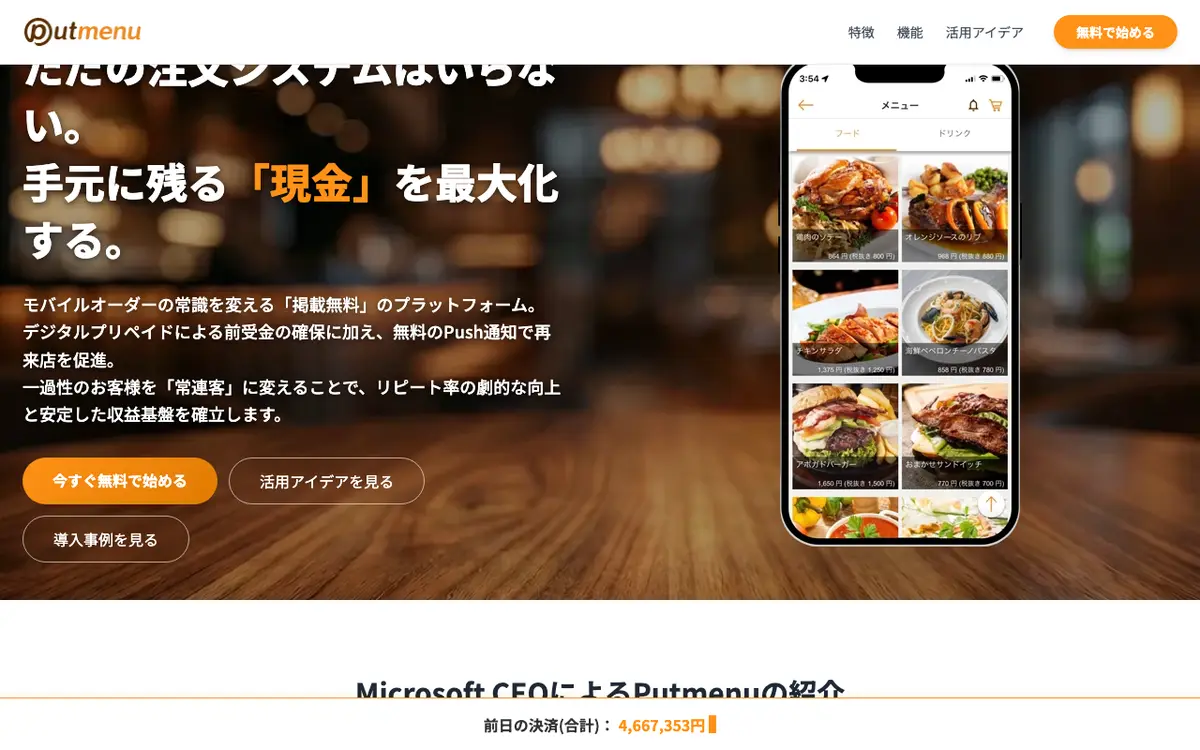
Putmenu is a Japanese mobile-ordering platform. Customers use the Putmenu smartphone app, with menus machine-translated into 12 languages, to order and pay. Shops can also issue their own prepaid balances and send push notifications to past customers. It is sold to restaurants and also to retail shops, hotels and events, and the basic plan has no setup or monthly fee.
Last reviewed
- Best for
- Small Japanese restaurants wanting mobile ordering with no upfront cost, Shops that want to sell prepaid balances to regulars
- Pricing
- Percentage of sales
- Runs on
- Web
Who it is for
Small Japanese restaurants wanting mobile ordering with no upfront cost
The vendor lists no initial or monthly fee on the basic plan; the shop pays a 5% fee on card and PayPay payments.
Shops that want to sell prepaid balances to regulars
Putmenu Prepaid lets a single shop issue house e-money and hold the prepaid amount up front; it can be used without the ordering feature.
Venues serving overseas visitors to Japan
Menus registered in Japanese are translated automatically into 12 languages.
What it does
Mobile ordering and payment in the app
Customers pick items, pay and collect from within the Putmenu app without creating an account.
Putmenu Prepaid
House e-money for a single shop, developed with TOPPAN Digital, that holds top-ups as advance payments and can be used without mobile ordering.
Free push notifications
Shops can send push notifications to customers who have ordered before, at no charge.
Automatic translation into 12 languages
A menu registered in Japanese is machine-translated for foreign visitors; shops can edit the translations in a web browser.
Service bell messages
Guests can send requests such as asking for the bill, translated in real time and printed on the ticket (an older FAQ feature; availability depends on plan).
Allergy marks (My Food Guide)
Guests register allergies and matching menu items are marked in the menu list (older FAQ feature; depends on plan).
AI-built shop page
Entering a shop's URL makes the service generate a shop page automatically; the vendor says listing can be prepared in about 10 minutes.
Multiple payment methods
Supports credit cards and QR-code payments such as PayPay, d Barai, au PAY, Rakuten Pay and Merpay.
Order alert app
On the basic plan, a dedicated notification app sounds an alarm when an order arrives and the details are emailed to the shop.
Use outside restaurants
The vendor says it is also used for events, local-government campaigns, employee benefits and hotel room service.
Pricing
- Pricing model
- Percentage of sales
- Free plan
- Yes
The basic plan has no initial or monthly fee but takes 5% of each payment (credit cards VISA, Mastercard, JCB, American Express, and PayPay). Payouts under 30,000 yen roll over to the next month; a payout below that costs a 1,000 yen (excl. tax) handling fee. The home page says some plans are paid but does not list them.
How it compares
Compared with the 42 products in QR Code Menu & Ordering that have a profile on this site. These figures describe the category. They are not a recommendation.
- Names 2 integrations. The median in this category is 5.
- Has a free plan. 11 of the 13 products in this category that say whether they have a free plan do.
- Lists Web only. Among the 41 products in this category that state their platforms, 9 list an iOS app and 9 list an Android app.
Works with
- Payments
- PayPayau PAY
The press release also names d Barai, Rakuten Pay and Merpay as supported code payments. The vendor FAQ says to ask about POS integration; no POS system is named.
Where and how it runs
- Customers in
- Japan
- Languages
- Japanese, English, Chinese, Korean
- Platforms
- Web
- Hardware
- No special hardware on the basic plan: the shop needs a smartphone or similar device to receive order alerts and an email address. Older FAQ answers say equipment needs are discussed per shop.
The vendor publishes no country list. Japan is inferred from the Japanese-language site, Tokyo head office and yen payment methods.
The company
- Company
- Putmenu, Inc. (プットメニュー株式会社)
- Founded
- 2018
- Headquarters
- Tokyo, Japan
- Customers named by the vendor
- Yakiniku Yamato Funabashi
Security and support
- Support
- An enquiry form and an FAQ page are published; no hours or channels are stated.
Listing details
- Built for
- Restaurants, Cafés, Bars
- Focus
- Food-specific
- Status
- Active
- Website
- putmenu.com
- Also listed in
- Online Ordering System
Alternatives to Putmenu
See all 80 in QR Code Menu & OrderingTabelog Order
Tabelog Order is a mobile ordering system for restaurants in Japan from Kakaku.com, the company behind the Tabelog restaurant guide.
Runs on Web and iOS, against Web for Putmenu.
Qder
Qder is a Japanese restaurant management system from Qder Japan K.K.
Listed as best for: Japanese restaurants wanting ordering, reservations and POS in one system; Cafes, izakaya and fast-food outlets.
me&u
me&u is a guest-experience platform for hospitality venues that combines QR-code order and pay at the table, mobile payments, multi-vendor food hall ordering, a CRM, loyalty and reservations with an AI voice answering service.
Names 21 integrations, against 2 for Putmenu.
SO'USE
SO'USE is a German front-of-house platform that covers QR-code order and pay at the table, self-order kiosks, tablet ordering, a commission-free web shop for pickup and delivery, a kitchen display system, and integration of delivery apps into the till.
Runs on Web, iOS and Android, against Web for Putmenu.
Compare Putmenu
Side-by-side tables built from the same profile data.
What we could not confirm
These points were not confirmed when this page was written.
- Prices of paid plans above the basic plan
- Contract term and cancellation
- Whether the consumer app is on iOS and Android and store listing details
- POS integrations
- Funding and team size
- Security certifications (the home page cites Microsoft Azure hosting only)
Sources
Facts on this page come from the pages below, checked on 29 September 2026. Prices and features change, so confirm with the vendor before you buy.
- Home page: product, Azure, languages, plan overview, company addresshttps://putmenu.com/
- FAQ: features, languages, cost (older content)https://putmenu.com/faq/
- Basic plan and Putmenu Prepaid descriptionhttps://www.putmenu.net/sregi/
- Basic plan fee and payment methodshttps://www.putmenu.net/sregi/plan.html
- Press release: payment methods, founding date, HQhttps://prtimes.jp/main/html/rd/p/000000009.000105580.html
- Customer case studyhttps://putmenu.com/case/29yamato/putmenu_case_yakinikuyamato.html