Fresh KDS
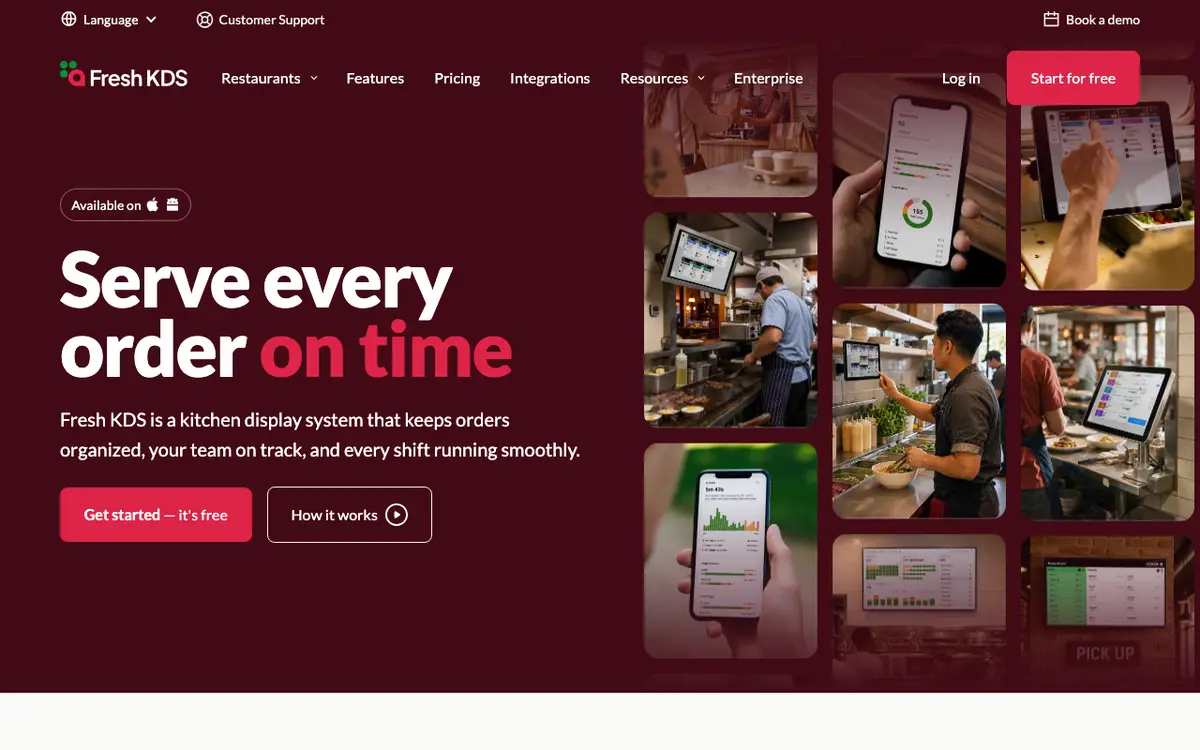
Fresh KDS is a kitchen display system that runs on iOS and Android tablets and shows POS orders on screens in the kitchen. It sorts and times tickets, syncs stations, prints labels and reports on speed of service. It is sold to cafes, fast casual and casual dining restaurants, food trucks and breweries, with an Enterprise plan for multi-location groups.
Last reviewed
- Best for
- Cafes, bistros and fast casual restaurants, Food trucks and breweries
- Pricing
- From USD 16 per screen per month, billed yearly
- Runs on
- iOS, Android
Who it is for
Cafes, bistros and fast casual restaurants
Replaces paper tickets with a tablet-based display that connects to an existing POS.
Food trucks and breweries
Runs on tablets the business already owns, with no dedicated hardware required.
Restaurant groups
Fresh says the Enterprise plan is typically for restaurants with 20 or more locations, with remote screen management and cross-location benchmarking.
What it does
Automatic order sorting
Orders are sorted by prep and pickup time so staff see what to make next.
Move, hold and recall orders
Staff can rearrange orders, hold them until ready to prepare and recall cleared tickets.
Colour-coded timers and alerts
Custom time thresholds give visual alerts for on-time and late orders.
Sound notifications
Customisable sounds for new orders, updates and curbside arrivals.
Speed of service reports
Reports on kitchen metrics such as ticket times.
Label and ticket printing
Prints full tickets or item labels from the app with a compatible printer (Premium).
Ingredient all-day counts
Live item totals across all open orders so stations prep the right quantity (Premium).
Screen communication
Several options to keep multi-station kitchens in sync (Premium).
Modifier styles
Colours, bold and italics for keyword modifiers so allergens and special requests stand out (Premium).
In-app metrics
Average ticket times, order counts and status breakdowns on the KDS (Premium).
Customer text messaging
Sends automated order status text messages to customers (Premium).
On The Fly live performance
Live kitchen health, open orders and lead ticket time, with comparison across locations and hours; the vendor says it is included with every plan.
Enterprise management
Custom kitchen workflows, central device settings, multi-location benchmarking and custom data integrations (Enterprise).
Pricing
- Starting price
- From USD 16 per screen per month, billed yearly
- Pricing model
- Subscription per screen
- Minimum contract
- None; the vendor says there is no long-term contract and plans can be cancelled, upgraded or downgraded at any time
- Free trial
- 7-day free trial of Premium, no credit card required
Essentials is $20 per screen per month billed monthly or $16 billed yearly. Premium is $27 monthly or $22 billed yearly. Enterprise is quoted through sales. The vendor says yearly billing saves 20% and that there are no long-term contracts.
How it compares
Compared with the 9 products in Kitchen Display System that have a profile on this site. These figures describe the category. They are not a recommendation.
- Names 37 integrations. The median in this category is 10.
- Has a free trial. All 1 products in this category that say whether they have a free trial do.
- One of 2 products in this category with an iOS app. One of 3 products in this category with an Android app. 7 products in this category state their platforms.
- The category's 10 most-named integration partners are Uber Eats, DoorDash, Focus, Lightspeed K-Series, Aloha, Olo, Qu, SevenRooms, Micros Simphony, SpotOn. Of these, this product's listing names Lightspeed K-Series, Olo, Qu, SpotOn.
Works with
- Inventory
- ClearCOGS
- Point of sale
- SquareSquare for RestaurantsCloverLightspeed K-SeriesTouchBistroOtterSpotOnArryvedSmartTabPoyntNorthstarhelloTESS!ROLLERRegister by Smart VolutionLast.appFoodHubGraineQuSalidoSoftPointPebllaABCPOSDejavooNooviPayanywherePOS CafeBookNow SoftwareCubigoYuzeElavonSmilePOSOracle Restaurants
The integrations page lists these POS, online ordering and forecasting connections and invites requests for others.
Where and how it runs
- Languages
- English, German, Spanish, French
- Platforms
- iOS, Android
- Apps
- Fresh KDS: Kitchen display app for tablets
- Hardware
- Works on tablets or touch screen monitors running iOS 13+ or Android 7+. Recommended devices include Apple iPad, Samsung Galaxy Tab S6 and Lenovo Tab P11 Pro, plus Kitchen Armor kitchen-grade screens.
The vendor says it is trusted by 10,000+ restaurants globally but publishes no country list.
The company
- Company
- Fresh Technology, Inc. (d/b/a Fresh KDS)
Security and support
- Support
- The vendor states 24/7 support, plus a help centre, video library and onboarding support for connecting a POS.
Listing details
- Headquarters
- United States
- Built for
- Restaurants, Food trucks
- Focus
- Food-specific
- Status
- Active
- Website
- fresh.technology
Alternatives to Fresh KDS
See all 13 in Kitchen Display SystemCrunchtime Kitchen
Crunchtime Kitchen is a kitchen display system that routes orders to stations, paces tickets, forecasts what to cook, and shows order-ready boards, with rugged display hardware.
Runs on Web, Android and Windows, against iOS and Android for Fresh KDS.
Epson TrueOrder KDS
TrueOrder KDS is Epson's kitchen display software for restaurants.
Runs on Web, against iOS and Android for Fresh KDS.
Square KDS
Square KDS is a kitchen display app from Square that replaces paper tickets and kitchen printers with digital tickets on Android devices.
Runs on Web and Android, against iOS and Android for Fresh KDS.
Annoncer
Annoncer is kitchen management software and kitchen display hardware from Index Hospitality Systems in the Netherlands.
Runs on Windows, against iOS and Android for Fresh KDS.
Compare Fresh KDS
Side-by-side tables built from the same profile data.
What we could not confirm
These points were not confirmed when this page was written.
- Countries served
- Headquarters, founding year, funding, team size
- Named customers
- Security certifications (a security policy page exists but states no certification)
- Whether the site language options equal the app interface languages
Sources
Facts on this page come from the pages below, checked on 29 September 2026. Prices and features change, so confirm with the vendor before you buy.
- Homepagehttps://www.fresh.technology/
- Pricing, plans, FAQhttps://www.fresh.technology/kds/pricing
- Integration listhttps://www.fresh.technology/kds/integrations
- Deviceshttps://www.fresh.technology/kds/recommended-hardware
- Enterprisehttps://www.fresh.technology/kds/enterprise
- Legal entityhttps://www.fresh.technology/legal/terms-of-service