MiPOS
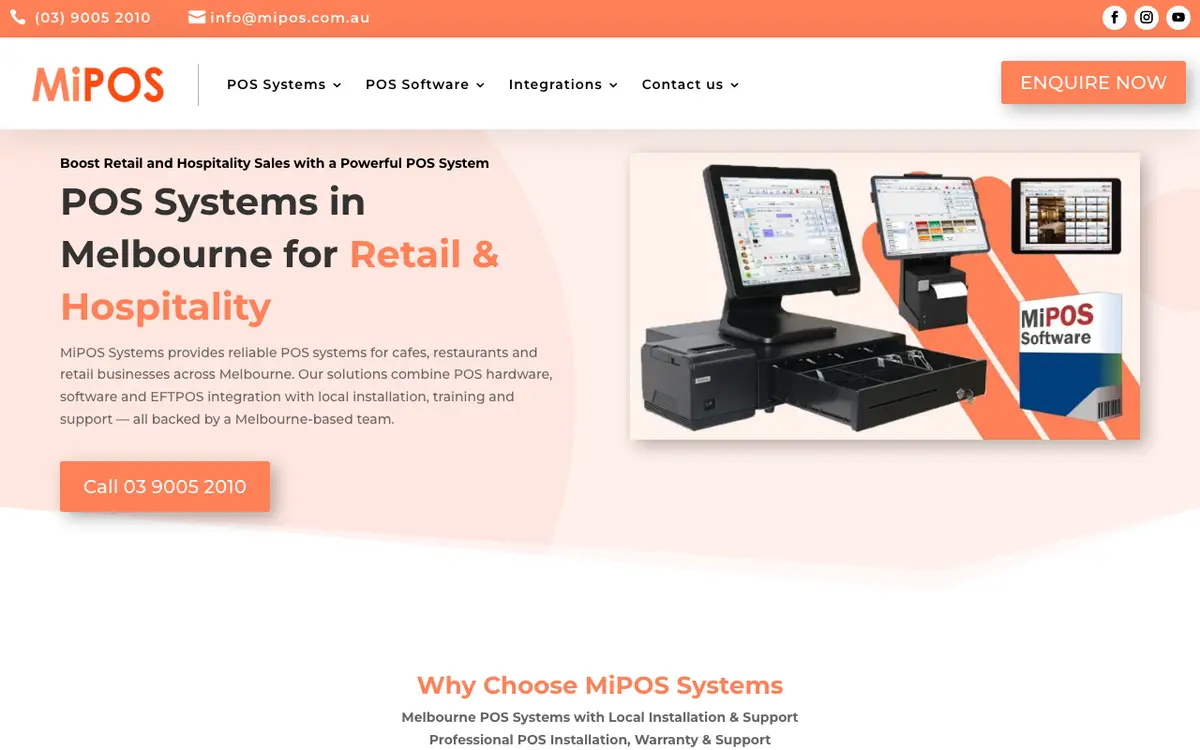
MiPOS is a point-of-sale system from Melbourne, Australia, for cafes, restaurants, takeaways and retail shops. It is sold as a one-time purchase of hardware and software with no monthly software fee, works without internet, and adds optional kitchen screens, self-order kiosks, QR and online ordering, table reservations and a cloud dashboard. The vendor is Exset Holdings.
Last reviewed
- Best for
- Cafes that want no software subscription, Restaurants and takeaways in Australia
- Pricing
- One-off licence
- Runs on
- Web, iOS
Who it is for
Cafes that want no software subscription
A cafe package includes terminal, cash drawer, receipt printer and software for a one-time payment, and, the vendor says, works without internet.
Restaurants and takeaways in Australia
Table floor plans, iPad ordering at the table, split bills and EFTPOS integration with Australian banks.
Businesses that already own POS hardware
The vendor installs and configures its software on compatible existing hardware, including remotely anywhere in Australia.
What it does
Quick sales and tables floor plan
Fast checkout for takeaway and counter service, plus a graphical table layout for taking orders, changing bookings and closing bills.
Orders on iPads
Waitstaff take orders at the table on iPads instead of walking back to the POS.
Split bills
Split a bill so each guest in a group pays for their own order.
Discounts, happy hour and surcharges
Staff and manual discounts, automatic happy-hour pricing and automatic surcharges for card fees or public holidays.
Customer details and loyalty
Stores customer details for faster repeat phone orders and offers a customer loyalty function.
EFTPOS integration
Sends payments straight to the card terminal, including a zero-cost EFTPOS option with automatic card surcharging.
Kitchen Order Display (KOD)
A touchscreen bump screen that replaces printed order dockets, with order timers and bump-out when complete; sold as an add-on.
Self-ordering kiosk
Touchscreen kiosk where customers order and pay, with orders printed to the kitchen printer; sold as an add-on.
Online and QR table ordering
Commission-free ordering from your own menu link or table QR codes, with no app download; orders sync to the POS and kitchen display.
Table reservations with deposits
Online booking with optional deposit through payment links, automatic table assignment and sync into the POS.
Cloud dashboard
Live sales, stock, products, customer history and reports from a phone, tablet or laptop, plus a built-in Web POS.
Works without internet
The vendor says its POS systems run 100% without an internet connection.
Pricing
- Pricing model
- One-off licence
- Minimum contract
- None for software (one-off purchase)
No monthly software fee: the vendor says MiPOS is bought once and has no subscription. Published figures are for hardware-and-software bundles or add-ons, so no recurring software price is listed. A cafe POS package is from $2,490 plus GST one time, a kitchen order display from $990 plus GST one time and a self-order kiosk from $2,500 plus GST one time. Technical support is separate: $690 a year or $69 a month, or $199 pay-as-you-go remote support after 30 days of included start-up support.
How it compares
Compared with the 16 products in Café & Bakery POS that have a profile on this site. These figures describe the category. They are not a recommendation.
- Names 6 integrations. The median in this category is 6.
- One of 7 products in this category with an iOS app. 16 products in this category state their platforms.
- The category's 10 most-named integration partners are WooCommerce, Shopify, Xero, QuickBooks, GoFood, GrabFood, Mailchimp, PrestaShop, QRIS, Shopee. Of these, this product's listing names Xero, Mailchimp.
Where and how it runs
- Available in
- Australia
- Languages
- English
- Platforms
- Web, iOS
- Hardware
- Complete packages include a touchscreen POS terminal, cash drawer and 80 mm thermal receipt printer; optional order printers and iPad integration, a kitchen display screen and a kiosk. The vendor also installs its software on compatible existing hardware.
The vendor says it provides installation and support for all Australian states from Melbourne.
The company
- Company
- Exset Holdings
- Founded
- 2006
- Headquarters
- Melbourne, Australia
Security and support
- Security and compliance
- Integrated weighing scales licensed by the National Measurement Institute (NMI S766)
- Support
- Start-up support is included for 30 days after purchase (Mon to Fri 9am to 7pm), then a paid support plan or pay-as-you-go remote support; support is given by phone and remote desktop through TeamViewer.
Listing details
- Built for
- Cafés, Restaurants
- Focus
- General-purpose, used in food businesses
- Status
- Active
- Website
- mipos.com.au
Alternatives to MiPOS
See all 40 in Café & Bakery POSSumUp POS
SumUp POS is the point-of-sale software from payments company SumUp, sold for restaurants, cafes and retail.
Names 28 integrations, against 6 for MiPOS.
Zettle by PayPal
Zettle by PayPal is a point-of-sale app with card readers and an all-in-one terminal for taking in-person payments.
Runs on iOS and Android, against Web and iOS for MiPOS.
Qashier
Qashier is a point of sale and payments platform for small businesses in Southeast Asia.
Runs on Web and Android, against Web and iOS for MiPOS.
Conexa
Conexa is a Romanian business management platform that combines a point of sale, stock control, recipes, invoicing and reports for restaurants, bakeries, retail shops and similar businesses.
Runs on Web, iOS, Android and Windows, against Web and iOS for MiPOS.
Compare MiPOS
Side-by-side tables built from the same profile data.
What we could not confirm
These points were not confirmed when this page was written.
- A recurring software price (none is charged; only hardware bundles and add-ons are priced)
- Named customers, team size and funding
- Which operating systems the POS terminal runs on
- Security certifications and data hosting details
- Warranty length
Sources
Facts on this page come from the pages below, checked on 29 September 2026. Prices and features change, so confirm with the vendor before you buy.
- Homepage and navigationhttps://mipos.com.au
- Cafe package and pricehttps://mipos.com.au/cafe-pos-system/
- Software-only, no-subscription modelhttps://mipos.com.au/pos-software/
- Feature listhttps://mipos.com.au/pos-features/
- Integrationshttps://mipos.com.au/pos-integrations/
- Kitchen order displayhttps://mipos.com.au/kod/
- Self-order kioskhttps://mipos.com.au/kiosk/
- Online and QR orderinghttps://mipos.com.au/online-qr-table-ordering-menu/
- Reservationshttps://mipos.com.au/table-reservation-bookings-sms-payment-links/
- Cloud dashboardhttps://mipos.com.au/cloud-dashboard-reports-analytics/
- Support planshttps://mipos.com.au/warranty-support/
- Company backgroundhttps://mipos.com.au/about-us/